
Think about it like flipping pages without having to open the layer menu and toggle layers on and off! I start #the100dayproject tomorrow and I decided to do some sketching each day so I am using PageAssist to switch to a new page (aka layer) each day. My digital sketchbook in Procreate! The background color/texture, the sketchbook illustration, even the ribbon, all of that is part of the Background and my new sketch pages will only have my sketches on them!
HOT TIP: If you need more than one layer to show up on the page, just group them! A group of layers will show up as one page.
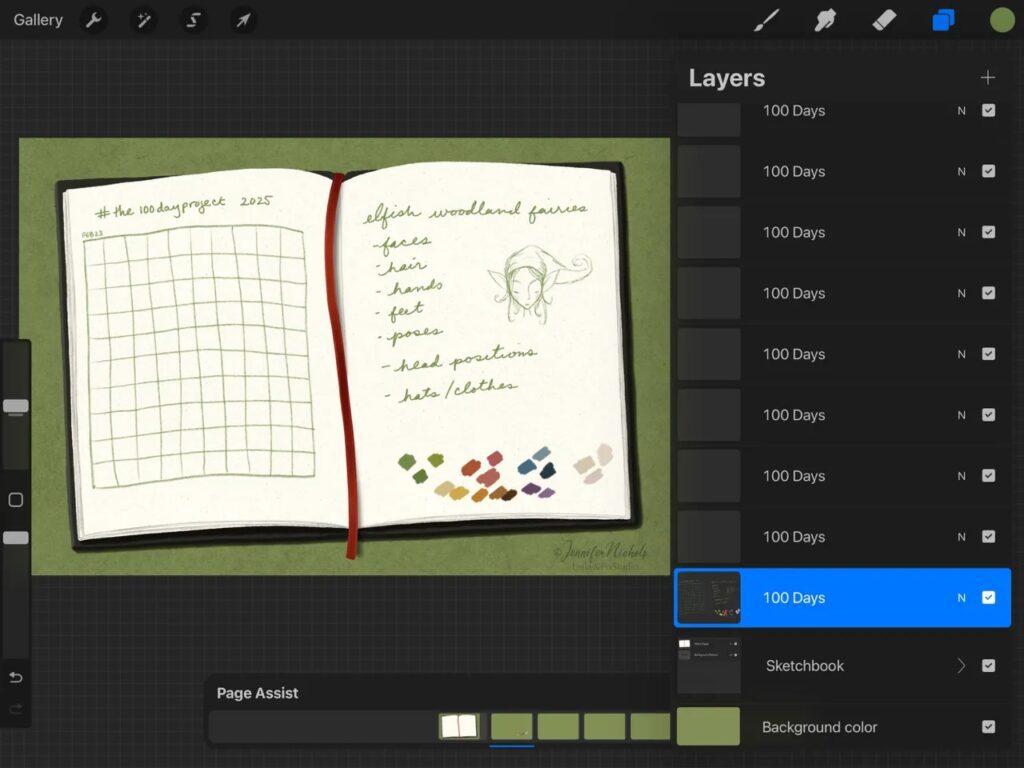
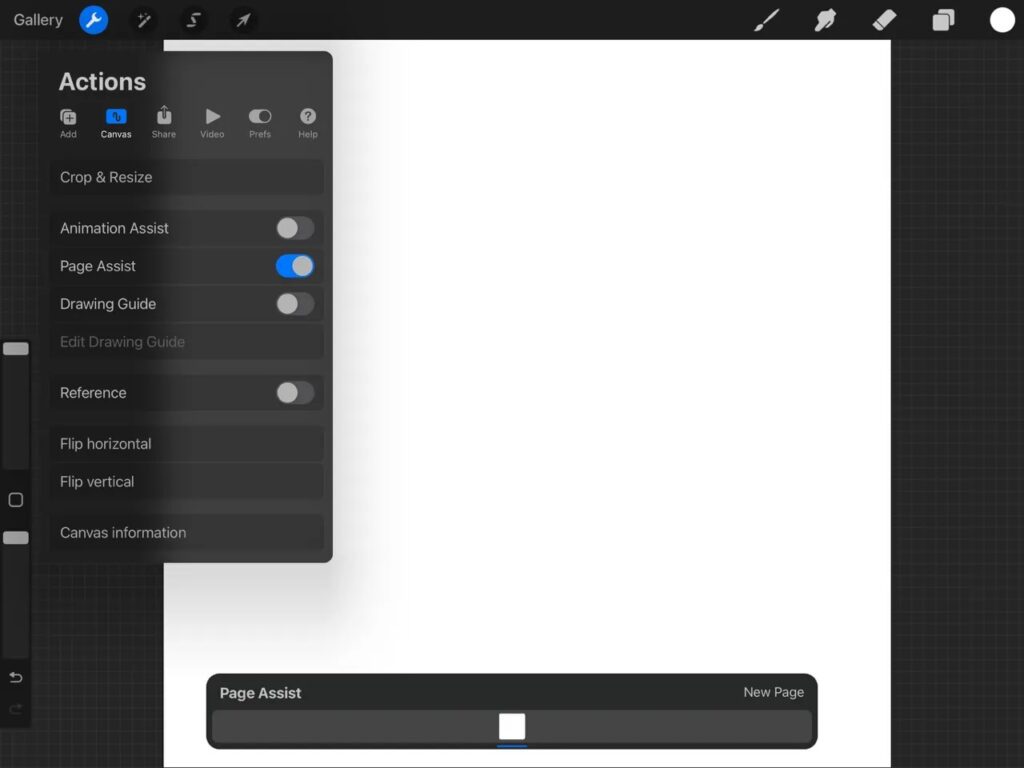
All you do is go to the Actions menu, then Canvas, now toggle it on! Adding a “new page” on the page assist menu is the same as adding a layer in the layer menu.
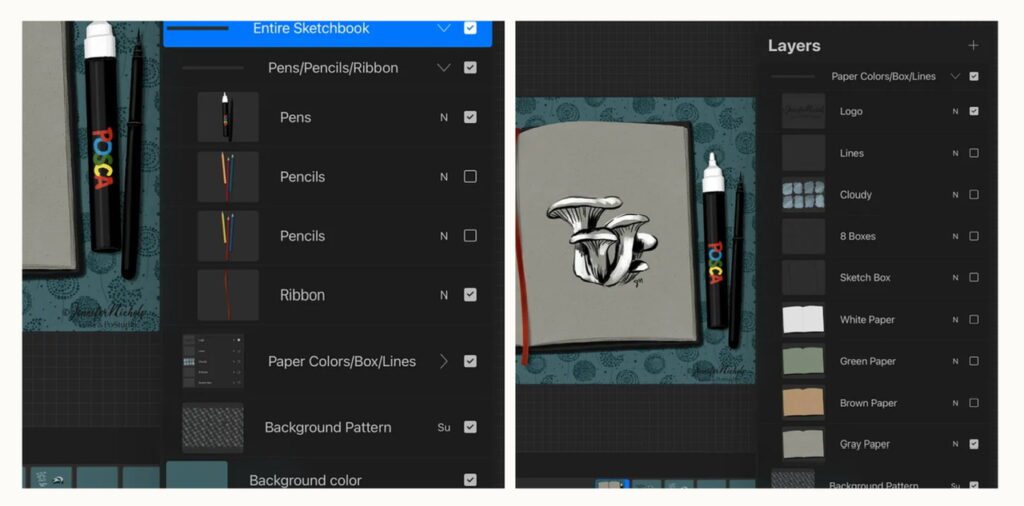
You can make the Background as simple or as elaborate as you want! Make a group of layers with all the things you need to be included as part of the background. Below, you can see I’ve got some paper color options, some fun pencils and pens, I also have options for adding lines to a page, etc. People can choose what they’d like their sketchbook to look like (it’s a freebie within my membership)!
Add a few more extra layers/pages that are not part of the background group. Those will be the layers you use for your sketchbook pages and you can add more as needed.
To make the background group stay in the background so it’s “on” all the time, tap on that first page in the layer at the bottom of the screen and toggle Background on.
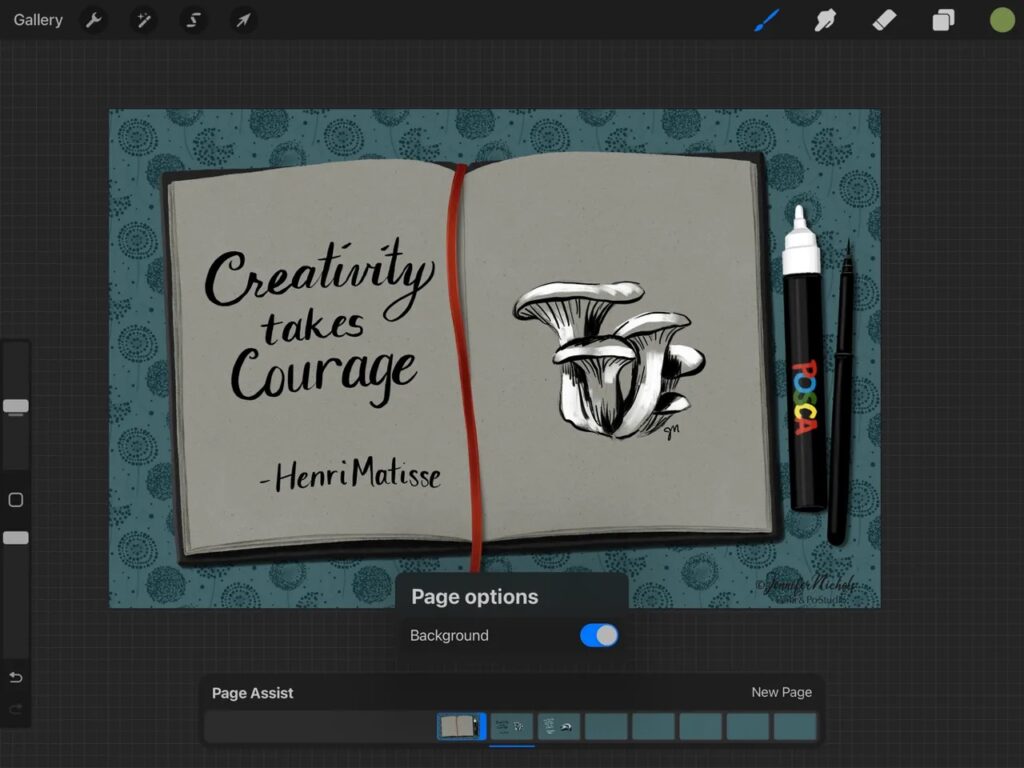
A Simple Version
Here’s a very simple version of a sketchbook in Procreate. The spotty border and texture layer are set as the background.
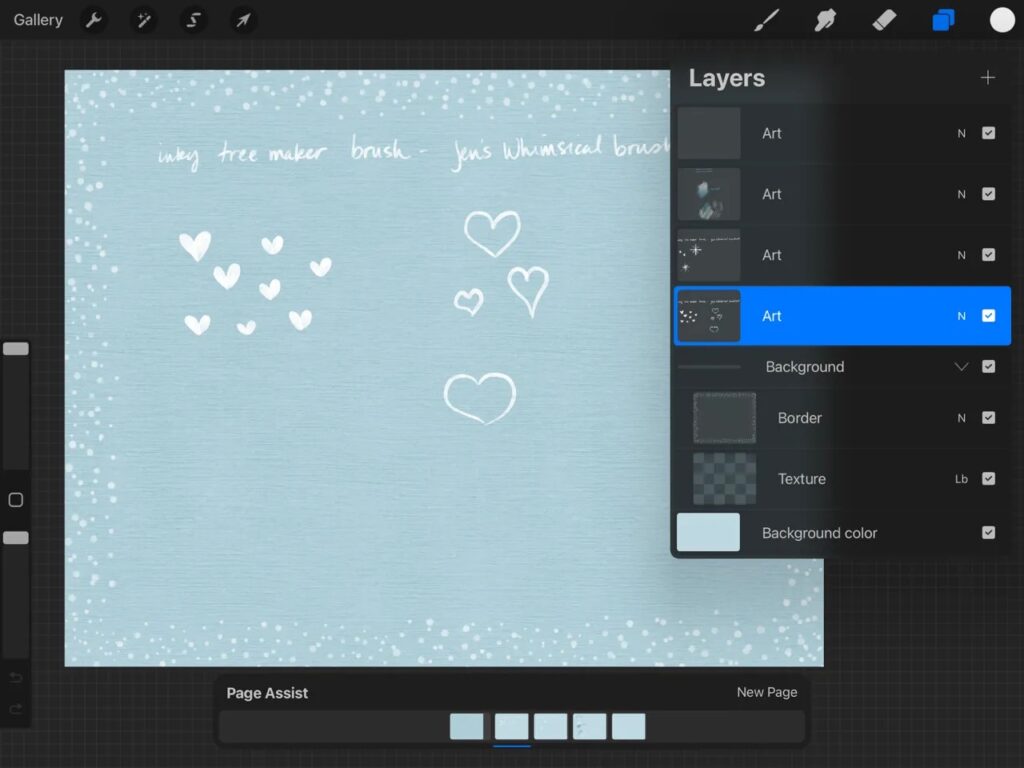
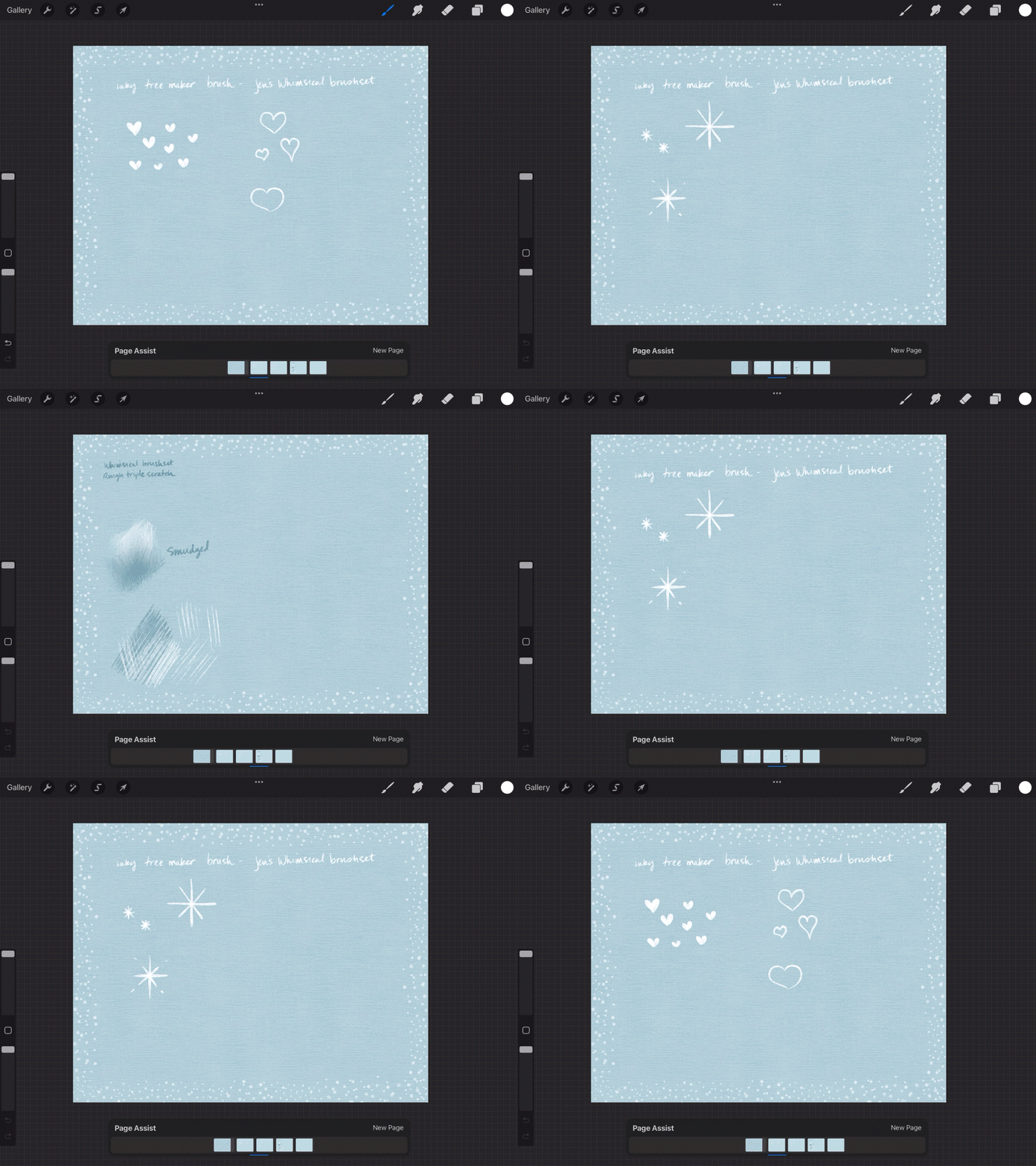
Keep all the layers on at all times and you only see one at a time, using the menu at the bottom of the screen to navigate! One idea is to experiment with brushes on each page!
Can you think of more ways to use Page Assist? In the Tessellations class I made a huge “document” with tessellation rules and examples on each page. Then I saved it as a PDF for my students but it was sure nice to use Page Assist as I developed the document!
Hope you find this helpful!
-Jennifer Nichols
Update:
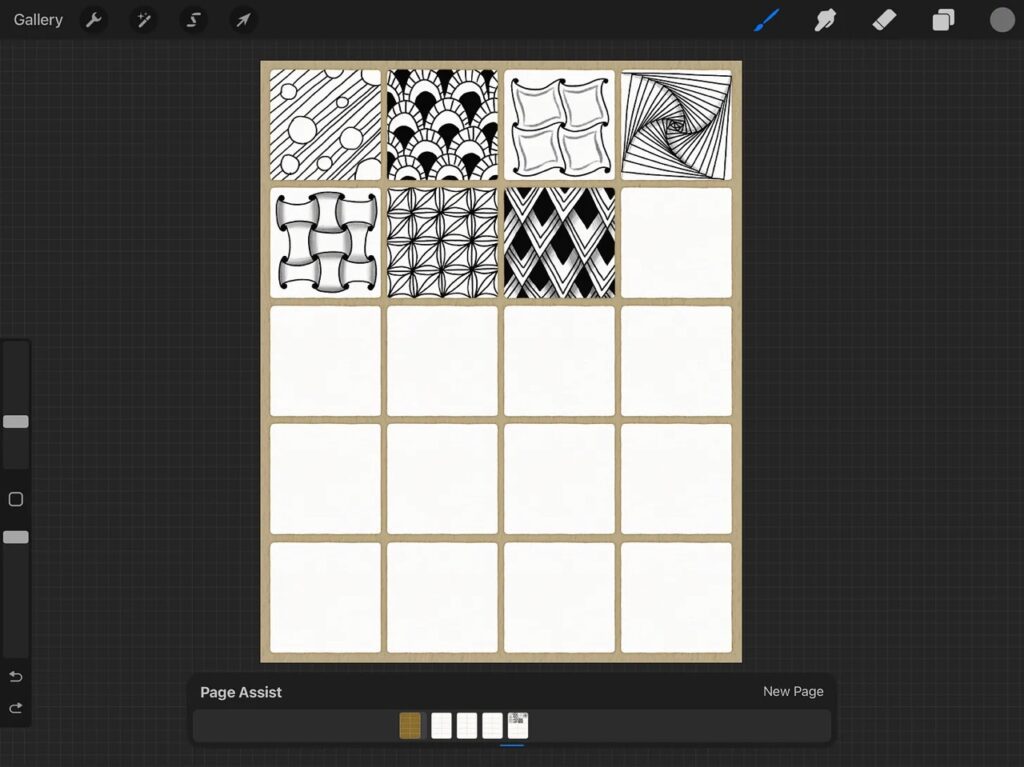
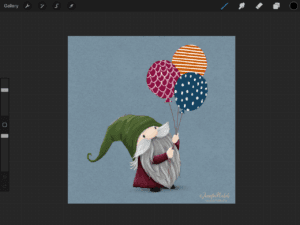
Here’s another set-up in Page Assist! It’s from my Doodling class (we aren’t allowed to technically teach Zentangles unless we are certified but you can search online for tangles and practice)! Be sure to grab the Micron procreate brush from my Newsletter Freebies which you can sign up for here:

6 thoughts on “Creating Procreate Sketchbooks”
I just discovered you. I love your freebies. I am fascinated by the sketchbook. I have been using Procreate for a while and am slowly, slowly building skills. I see from your blog that you saved one of your sketchbooks as a pdf. I assume you saved it to your files and that all the pages came out in order for printing. Is there a way to save a sketchbook and send it to others as you do an animated work so that they can turn the pages? I need to explore your website more. I get emails from you. But it doesn’t seem the blog is shared via email when you add a new article. Am I missing something or just too new to your procedures? Thanks again for what you share. Rhoda
Hi Rhoda! You can definitely save a multi-page pdf. It’s been a while since I have done it so I can’t recall if you have to make sure all the layers are on, etc. But what you want to experiment with is the Share option (the same place you would save as a jpg) and look at the lower section of those options where it says “Share Layers”. Choose the PDF option in that section. I have a massive pdf I made for a class resources in my Tessellations class, saved to my Files, then I opened it in my fave pdf viewer which is CollaNote.
(Also, you’re right, I don’t always email when I have a new blog post, it all depends on the timing of things.)
That worked! I am beyond thrilled. Thank you.
Woot!
That worked! Thank you!
Comments are closed.