
If you’ve ever dreamed of turning your handwriting or hand lettering into a real, working font, now’s the time! And the best part? You can do it 100% on your iPad, no desktop needed. The Fontself app has made it simple, affordable, and actually fun to create your own fonts. In this post, I’ll show you how I’ve been using it, share a free Procreate guide brush to help you practice, and link you to my full lesson over on YouTube. Let’s go!

Why Fontself is My New Favorite Font-Making App
After searching high and low for a way to make fonts directly on the iPad, I finally found Fontself and I couldn’t believe how full-featured it was. It’s only $20 as of now (2025), with no subscription fees, and once you own it, you’re good to go.
Here’s what I love about it:
- Easy to use!
- Exports clean, professional .otf font files
- Lets you edit spacing and kerning manually
- Supports multiple languages
- Clean, intuitive interface
- It’s a stand-alone app, no other apps or software needed!
It’s an absolute dream for anyone who wants to add a personal touch to their designs, even if it’s just your actual handwriting!
Start in Procreate with My Free Guide Brush
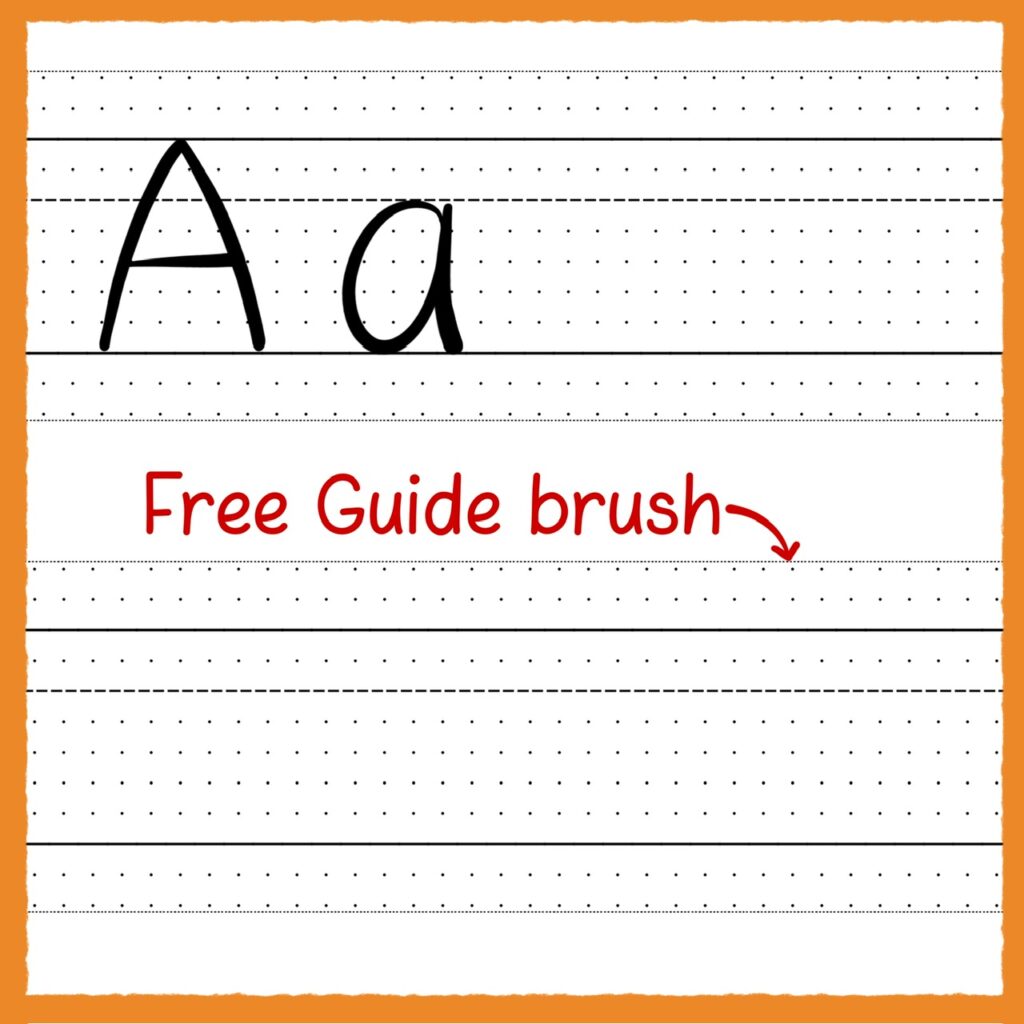
For those who want to practice their letters in Procreate, I have a free brush that closely lines up with the guides in Fontself. It’s a newsletter freebie in The Pixel Pantry waiting for you in the 2025 freebies section! This step gives you confidence and consistency before heading into the font-building phase.
Learn the Fontself App with My YouTube Tutorial
Once you’re ready, open the Fontself app and follow along with my YouTube lesson where I walk you through the whole process. We cover:
- How to use the tools in the app to create a new font
- Importing your letter drawings
- Adjusting spacing and kerning
- Naming, exporting, and installing your finished font
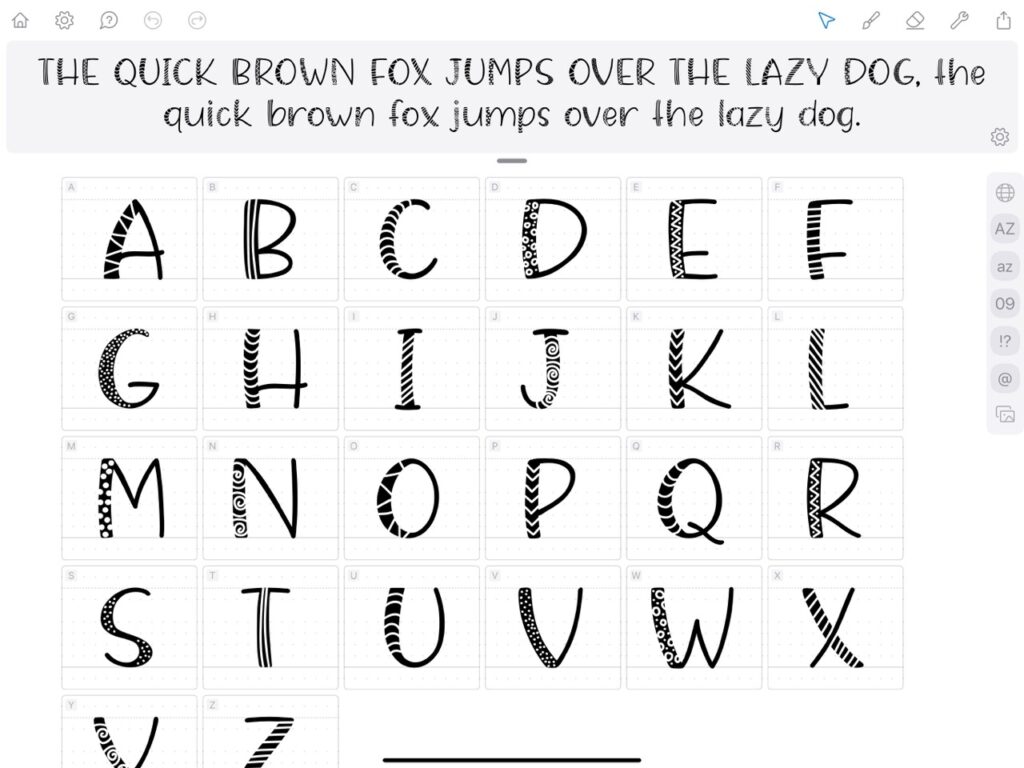
Whether you’re making a playful display font, a script with personal flair, or something totally one-of-a-kind, this app gives you all the tools you need. And yes, you’ll end up with a real .otf font file that you can install, use, and even sell if you’d like. Here are a few I have made!

Why Make Your Own Font?
Creating a font is a fascinating process that blends design, craft, and a little bit of tech magic. When you research font-design and typography, you’ll learn so much about letterforms, spacing, and the rhythm of type. And you’ll walk away with something that’s truly yours. I am already loving being able to use my own fonts on things I make in Procreate and I have only used the app for a few weeks!
Here are some resources you might like:
Grab Your Free Brush and Start Your Font Journey
Your font adventure starts in The Pixel Pantry with the free guide brush, and continues over on YouTube where I walk you through the Fontself app from start to finish. If you are already a newsletter subscriber, it’s waiting for you! If you aren’t, just sign up below and the password and link will be in your Welcome email!
Trust me, once you see your very own handwriting turned into a real font, you’ll be hooked. 💛

6 thoughts on “Make Your Own Font on the iPad with Fontself”
That’s an awesome tutorial Jen – many, many thanks for sharing your knowledge and techniques. I think I’ll have to follow your example and buy Fontself even though USD to AUD is gruesome at the moment. The app looks like you can have fun while being creative and is the perfect foil for Procreate.
Oh yes, definitely more expensive for you! But I hope you have fun with it!
Hi, Can I upload a template of my own handwriting to IPAD Fontself? I had heard that was a feature earlier versions didn’t have but they were working on it? Thanks!
Hi Pat, I can only speak for the iPad version and what you can do is create a template by drawing the letters in your handwriting and then choosing the option to save as template. So you are essentially making a font in order to make a template of it. Does that make sense? You can also draw your handwriting on paper or in Procreate and import that image, trace it, etc. But in the end it’s still making a font first, then a template.
I think this is absolutely brilliant Jen! It gives us the ability to be 100% unique and authentic in our artwork. Your tutorial was so good, I’m definitely going to buy Fontself as it looks like a great investment. Thank you 🙂
Glad you liked it! It’s so much fun!
Comments are closed.